

The Multilingual feature lets you choose your preferred interface language — English, French, or German — for a smoother and more intuitive design experience. It removes language barriers, ensuring you can focus on creativity and precision. By supporting multiple languages, the application empowers designers, engineers, and architects across Europe to work comfortably and productively in their own language.
Go to the Preferences window and click on Localization. By default, it is set to the System Language.
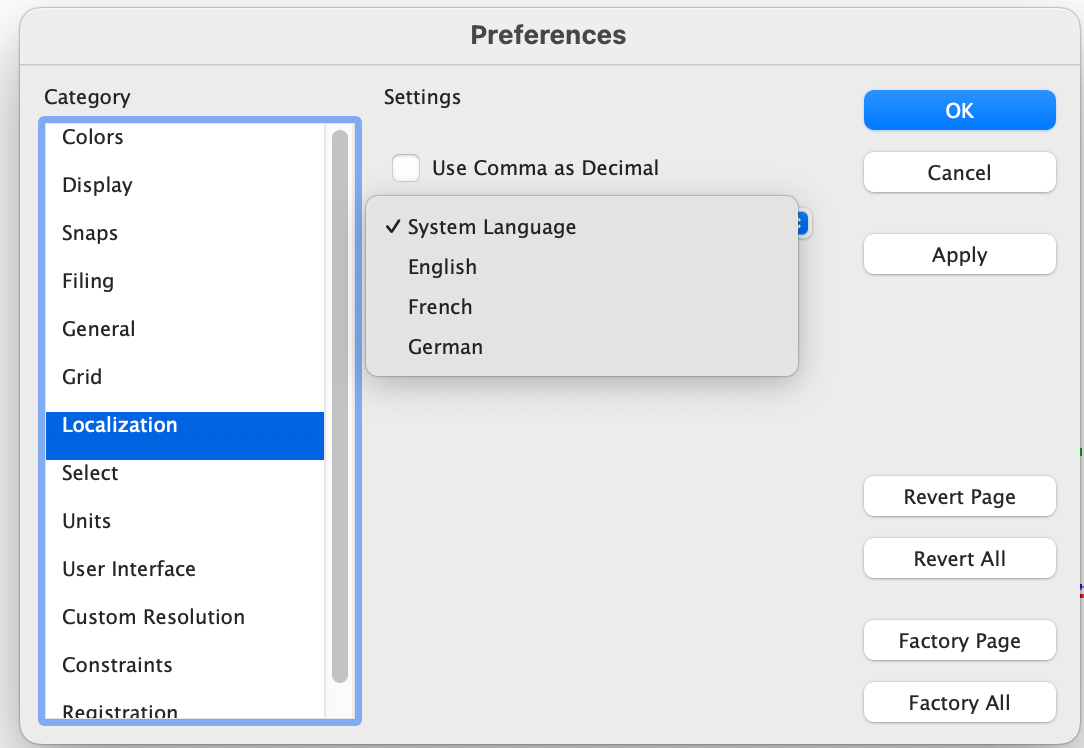
Language dropdown in the Preferences window
Select the French language to display the French interface.
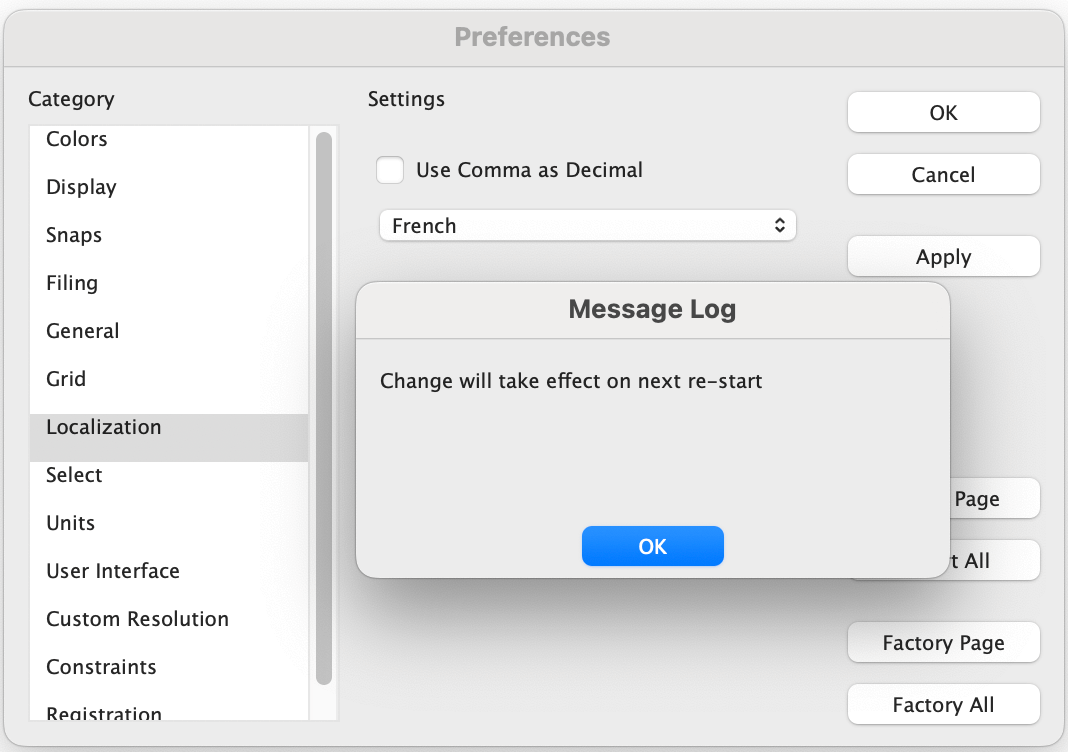
Selection of French language
Restart the application, and the interface will switch to French.
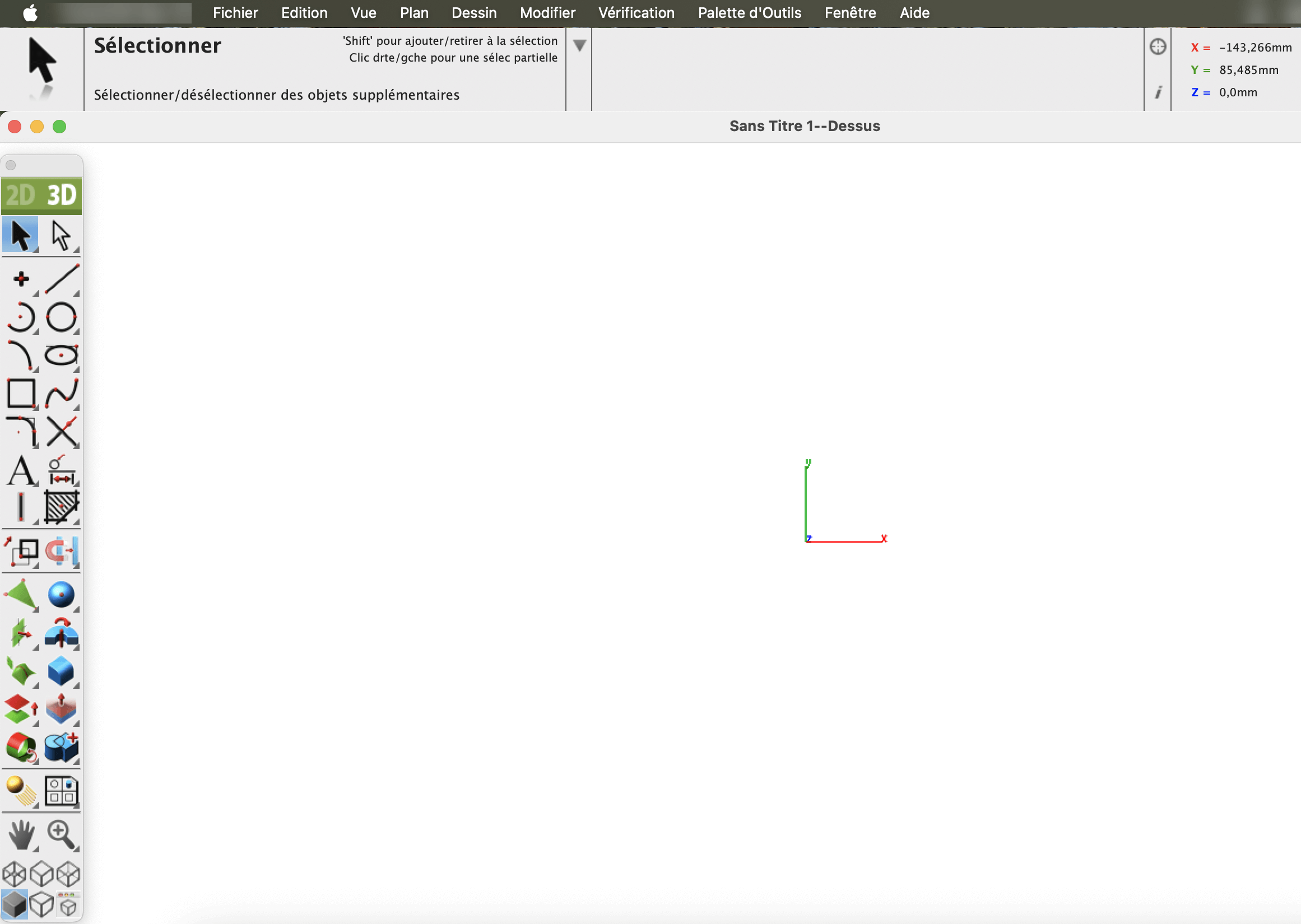
French Interface
Now select the German language to display the German interface.
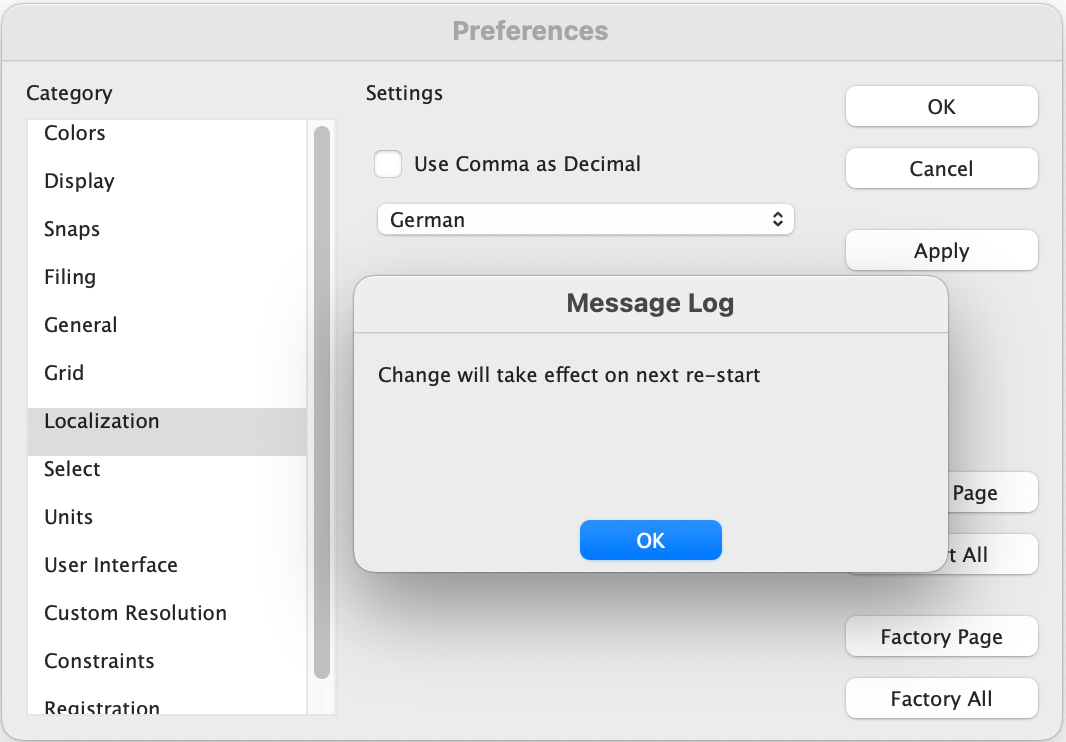
Selection of German language
Restart the application, and the interface will switch to German.
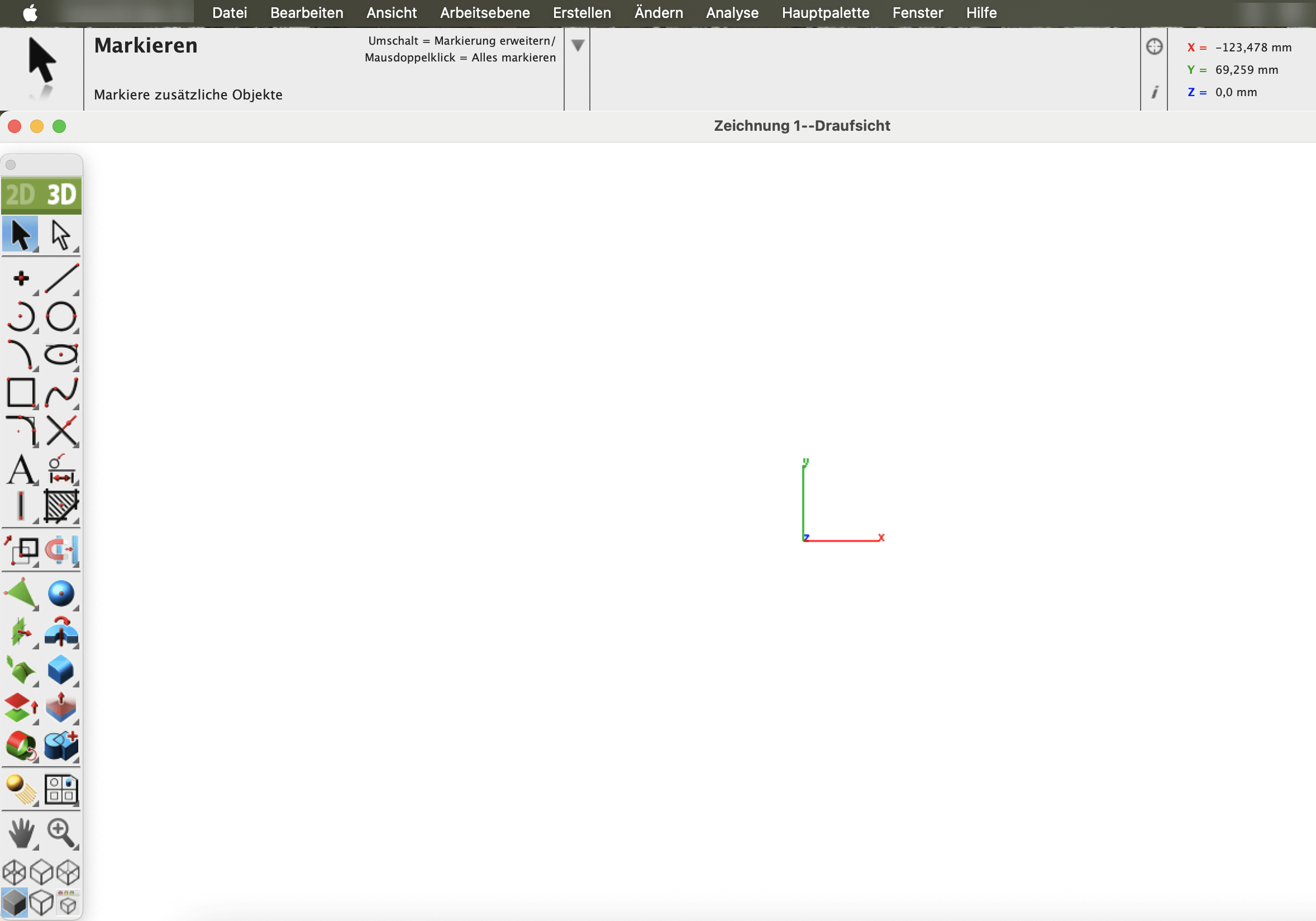
German Interface
Language should never limit innovation. With the Multilingual functionality, this application bridges communication gaps and brings designers together through a shared design experience. Whether you prefer English, French, or German, you can work confidently, collaborate effectively, and stay focused on what truly matters — creating with precision and creativity.
