

Solutions
3D Printing
3D Printing, also known as Additive Manufacturing, is the printing/manufacturing of 3D objects, anywhere as small as living cells or as large as a building. Whether done at a large industrial corporate level or at individual consumer/hobbyist level, 3D Printing offers a host of benefits that traditional manufacturing methods (or prototyping) simply cannot provide: Speed & Affordability – At a…
The work
What people use it for
Wondering what IMSI products are the most suitable for 3D Printing? Here are a few suggestions.
Capabilities
The tools this work needs
A model that looks right on screen is not necessarily a model that prints. These are the modelling tools and, as importantly, the checks that catch a mesh before the printer does.
Modelling the part
- 3D Extrusion & RevolveDeluxe and upSimple extrude, sweep, revolve, and surface extrude for flat 3D polylines or curves.
- 3D Surface Primitives, Booleans, HelixDeluxe and upCreate simple 3D objects and perform Boolean operations.
- Extrude, Sweep, RevolveDeluxe and upGenerate 3D objects from 2D profiles.
- Lofting Tool with Skinning/Sweep PathPlatinum onlyCreate lofted surfaces with skinning or sweep paths.
- Shell Tool, Face OffsetPlatinum onlyShelling and face offset functionality.
- Solid Modeling ToolsPlatinum onlyACIS ® Solid Modeling, Stretch Entity, Extract Entity, Push/Pull Tool, Twisted Extrude.
Making it printable
- 3D Print Repair ToolDeluxe and upFix mesh errors for 3D printing.
- 3D Print & Repair ToolsDeluxe and up3D print repair tool for fixing issues before printing.
- Surface and Mesh ToolsPlatinum onlyLofting, NURBS Support, Smooth Surface Meshes (SMesh).
- ACIS ® Faceter Surface TolerancePlatinum onlyControl surface precision during mesh conversion.
- 3D Printer Support (STL)Deluxe and upImport and export 3D printer files (STL).
Files in and out
- SketchUp ImportDeluxe and upImport SketchUp files with geometry, materials, and components.
- STEP ImportPro: ODA Step Import · Platinum: High-precision STEP ACIS STEP provides machining‑grade precision beyond faceting, ideal for CNC and engineering workflows. ODA STEP delivers efficient faceted geometry suited to visualization, 3D printing, and rendering.
- IGES ImportPro: ODA IGES Import · Platinum: High-precision IGES TurboCAD Professional now includes a new ODA‑based IGES importer, while Platinum continues to offer the high‑precision ACIS‑powered IGES translator.
- AutoCAD ® (DWG/DXF) File CompatibilityDeluxe and upSupport for AutoCAD ® files (DWG/DXF).
- Import and Open File FormatsDesigner: 15 · Deluxe: 22 · Pro: 25 · Platinum: 54Types of files that can be brought into the software and opened for use.
- Export, Save As, and Publish File FormatsDesigner: 16 · Deluxe: 23 · Pro: 27 · Platinum: 34Types of files that can be saved to ensure compatibility with other software or platforms and to prepare files for sharing or distribution.
The same job in DesignCAD
- 3D Primitives3D Max onlyCreate basic 3D shapes to build complex models. Essential for constructing 3D designs.
- 3D Booleans3D Max onlyPerform boolean operations on 3D objects. Useful for combining or subtracting shapes to form new geometries.
- 3D Modifications3D Max onlyModify 3D objects by slicing, exploding, or defining solids. Helps in adjusting and refining 3D models.
- 3D Print Check3D Max onlyChecks 3D models to ensure they are suitable for printing. Identifies potential issues that may affect the printing process. Essential for successful 3D printing.
- Leak Test for Surfaces3D Max onlyTests surfaces for any leaks that may compromise the structural integrity of the 3D model. Important for ensuring the durability and quality of printed objects.
- Watertight Test for Solids3D Max onlyVerifies that 3D models are watertight, meaning there are no gaps or holes that could cause issues during printing. Crucial for creating fully enclosed and printable 3D models.
- Mesh Repair ToolEvery editionRepairs open edges and duplicate facets of a mesh. Useful for preparing 3D models for printing or further refinement.
Availability is from the published edition comparison for TurboCAD 2026 for Windows and DesignCAD 2025. Compare TurboCAD editions · Compare DesignCAD editions
Made with it
This discipline, drawn by customers

See it work
From the IMSI Design channel
What to use
Recommended for this work
TurboCAD Platinum
$1,499.99perpetual licence
TurboCAD Deluxe
$399.99perpetual licence
DesignCAD 3D Max
$239.99perpetual licence
In their words
People doing this work
Our company designs and fabricates furniture and cabinetry for both private and commercial customers. We have the original version off DesignCAD, liked revision capability, so added the newer version.
I must say that I am totally impressed with your product. After reviewing the tutorial provided I was drawing professional quality drawings within minutes.
Very good, very affordable 2D CAD program that works like a CAD program. Superior to most more expensive 'drawing' programs which may have stupid user interfaces.
Related reading
All articles → Case StudiesUse of DesignCAD in Custom Hardware & Software ProductionAlpha Omega Computer Systems, Inc. is a provider of custom hardware and software solutions for everything from oceanography, to satellite…
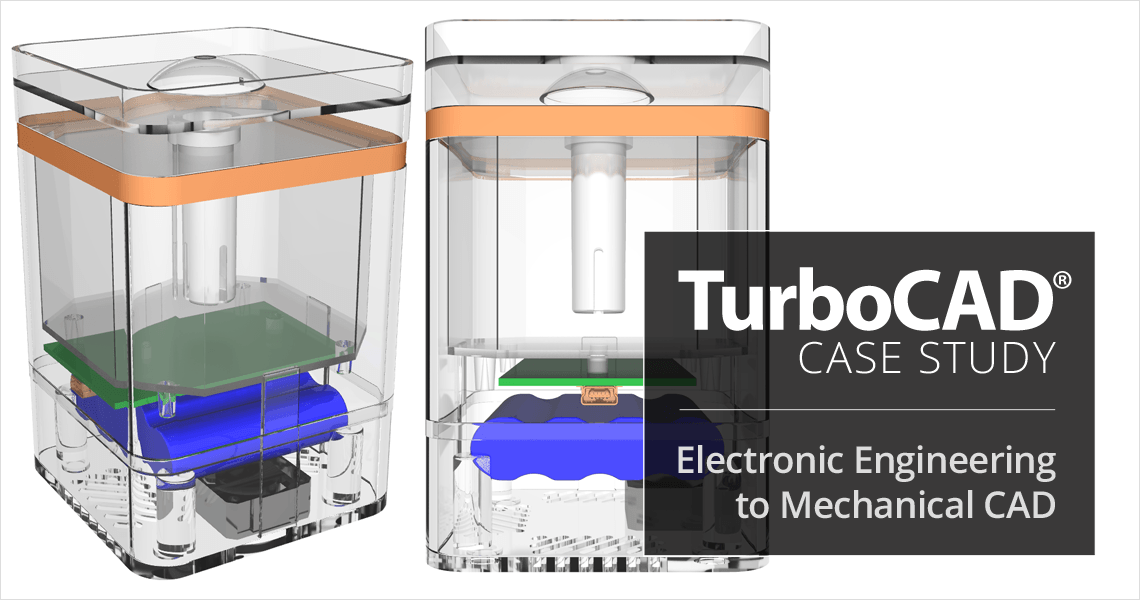 Case StudiesTurboCAD Helps Electronic Engineering Consultant Expand into Mechanical CADJeff Lindstrom, CEO of Arvak Technologies, was originally an Electronic Engineering Consultant for small aerospace companies in Southern…
 Press ReleasesIMSI Design Releases TurboCAD® Mac 17NOVATO, Calif. June 8, 2026 – IMSI® Design announced today the release of TurboCAD® Mac® 17, available in four editions: Designer, Deluxe…
Not sure which edition fits?
Tell us what you have to hand over at the end and we will name the edition. Every product has a free trial.
