

TurboCAD 2026 feature
Direct 2D unfolding for sheet metal
What it does
Direct 2D unfolding for sheet metal
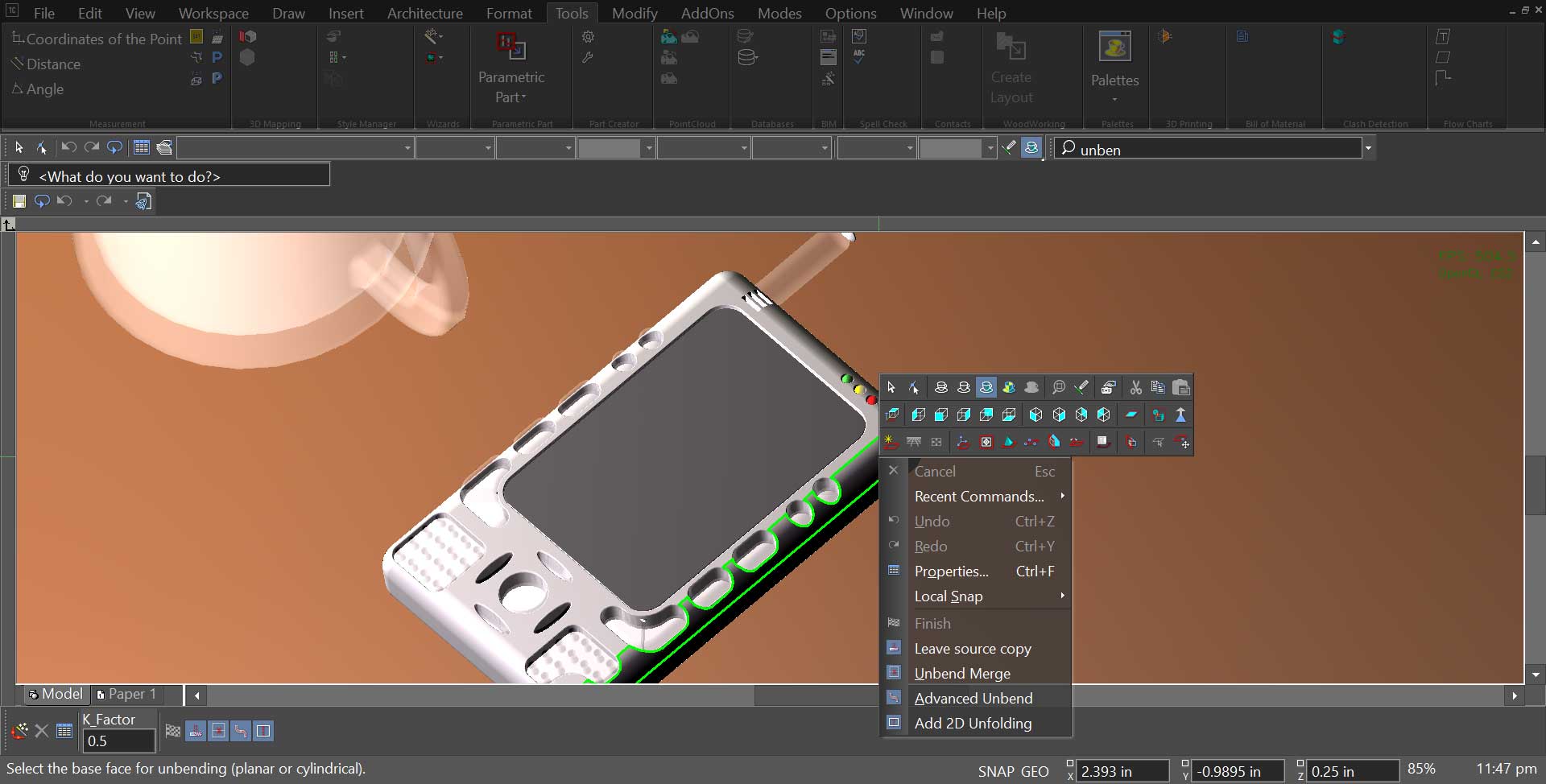
A folded part and its flat pattern are the same object at two stages of manufacture. Direct unfolding produces the flat pattern from the 3D part, with bend allowances applied, so the geometry that reaches the cutter came from the model rather than from a redraw.
Change the part and unfold it again. The pattern follows the model.
| Edition | TurboCAD Platinum |
|---|---|
| Output | 2D pattern with bend allowances |
| Works with | CAM plug-in for toolpaths |
More in this release
Other 2026 features
Users now have the ability to fully customize the Ribbon Interface
Users now have the ability to fully customize the Ribbon Interface. You can now Add and Rename Tools, Groups and Tabs. In addition, Tabs may be hidden or renamed, and manually created XML Config files can be directly imported into TurboCAD. UI Themes are also fully supported in the Ribbon.
Conceptual selector is now available in Visualize Wireframe
The Conceptual selector is now available in Visualize Wireframe, Hidden Line and Draft and works for all types of Visualize devices: GDI, OpenGL, OpenGLES2. The conceptual selector in Visualize supports all features available in RedSDK. In contrast to the classic mode, the Conceptual Selector uses a full-blown 3D…
Sun dir by geo-location
A new property “Sun dir by geo-location” has been added to the “Sun” and “Sky2” shaders for TurboCAD 2024. If the option is on, drawing geolocation data will be used to calculate direction. If the option is off, the parameter ‘Dir’ (direction vector) will be used to calculate the direction.
Ground Shadow
A new shader 'Ground Shadow' has been added to Visualize Environment in the Render Manager for TurboCAD 2024. The ground shadow effect allows users to simulate shadows under graphical objects in a scene without needing to manually add and set up lights, a ground plane, materials, and other objects.
Set Default
Reset All button performs the same function of 'Set Default' but for all fonts. This option is available in: Customize > Style and Themes > Reset All
Confirm Replace
A new checkbox added like "Don't show this message again" in the dialogue "Confirm Replace". If the user ticks the checkbox the program will remember the last selected option and will not be shown the dialogue again. This dialogue can be enabled again through Warning Dialogues in the Options menu.
Where it sits
Editions and pricing
Which TurboCAD 2026 do I need?
Every edition opens and saves DWG/DXF. The rows below are the ones where the editions actually differ — what changes is how far into 3D and production you go.
| EditionPerpetual, per seat | Designer2D drafting$199.99 | Deluxe2D + entry-level 3D$399.99 | ProFull 3D + ACIS$999.99 | Most capablePlatinumProduction + constraints$1,499.99 |
|---|---|---|---|---|
| 3D Surface Primitives, Booleans, Helix | — | ✓ | ✓ | ✓ |
| Sheet Metal Design | — | — | — | ✓ |
| Part Tree/History Tree | — | — | — | ✓ |
| Architectural Sections and Elevations | — | — | ✓ | ✓ |
| 3D Photorealistic Rendering | — | ✓ | ✓ | ✓ |
| Import and Open File Formats | 15 | 22 | 25 | 54 |
| Add to cart$199.99 | Add to cart$399.99 | Add to cart$999.99 | Add to cart$1,499.99 |
| EditionPerpetual, per seat | Designer2D drafting$199.99 | Deluxe2D + entry-level 3D$399.99 | ProFull 3D + ACIS$999.99 | Most capablePlatinumProduction + constraints$1,499.99 |
|---|---|---|---|---|
| Part Tree | — | — | ✓ | ✓ |
| Roofs | — | ✓ | ✓ | ✓ |
| ACIS® Solid Modeling Kernel | — | ✓ | ✓ | ✓ |
| Sheet Metal Tools (Base,Flange,Contour Flange,Partial Flange,Hem,Rolled Hem,Unbend) | — | — | — | ✓ |
| KeyShot Rendering Live Linking | — | ✓ | ✓ | ✓ |
| IGES, STEP, SAT | — | ✓ | ✓ | ✓ |
| Add to cart$199.99 | Add to cart$399.99 | Add to cart$999.99 | Add to cart$1,499.99 |
